

Tracking items in solution explorer
I like it when I’m in very large solutions with a lot of projects that my Solution Explorer of vs.net highlights the currently opened file instead of searching/scrolling around. In the previous versions this was enabled by default but for some reason Microsoft decided to don’t have it as a default in vs.net 2005.
| You can however enable this small but helpfull feature by navigating to the menu bar. Click Tools | Options and open the node called Projects and Solutions. You should see a modal window like Figure 1. Just check the checkbox labeled Track Active Item in Solution Explorer and you’re good to go. |
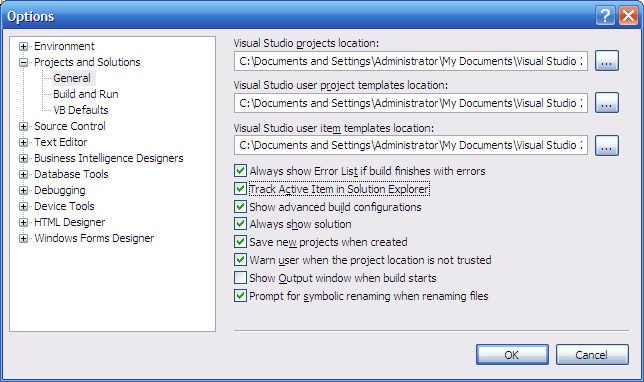 Figure 1: The options for Projects and Solutions.
Grz, Kris.
Leave a Comment