

Exporting embedded resources from the .NET framework with .NET Reflector
The first time I encountered .NET Reflector was at Techdays Belgium in 2003 during a session. I got interested in this valuable tool and used it ever since for disassembling .NET assemblies to code and take a look at the inner workings. If you haven’t downloaded it already then you can grab it here.
A little known fact is that one can also extract embedded resources with this marvelous tool. When you simply open .NET reflector like in figure 1 you can navigate in the treeview to System.Web > Resources.
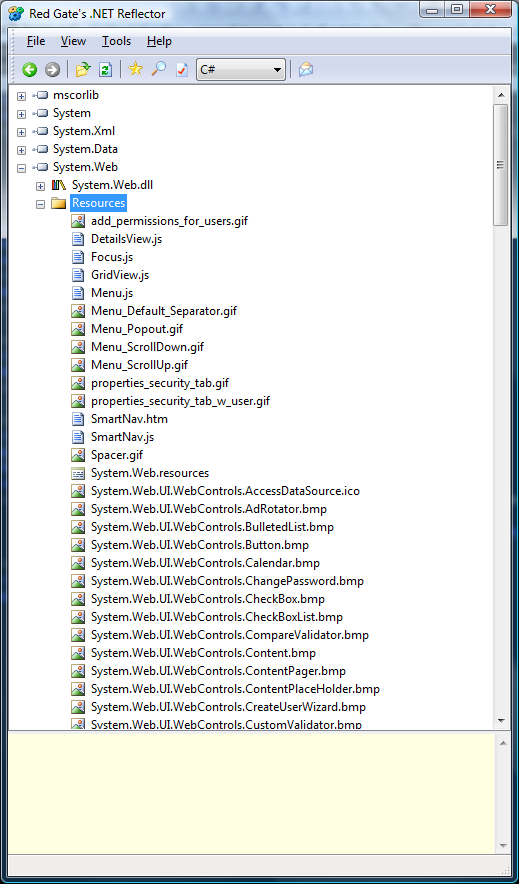 Figure 1: .NET Reflector assemblies overview
Then scroll down until you find the resource with the name WebUIValidation.js. Right click on it and select Save As… like in figure 2:
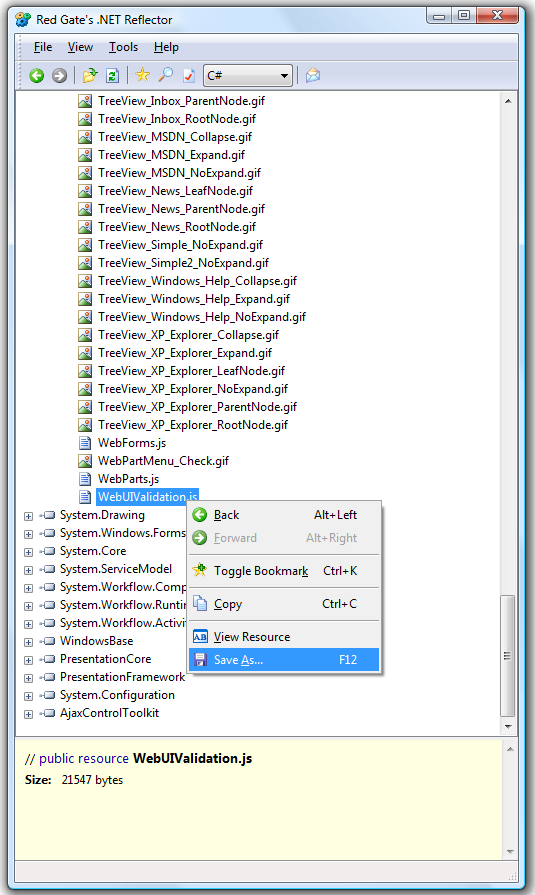 Figure 2: Save the resource.
After this action a Filesavedialog window will open so you can save the resource to disk.
Also be sure to check out this demo movie from Redgate itself which shows some nice standard features if you’re not used to working with the product.
Grz, Kris.
Leave a Comment