

Visual Studio 2010: Add an extra context menu item to the document tab
I got this question in one of the new forums over at ASP.NET. I took a bit of time to search and this is the result I came up with:
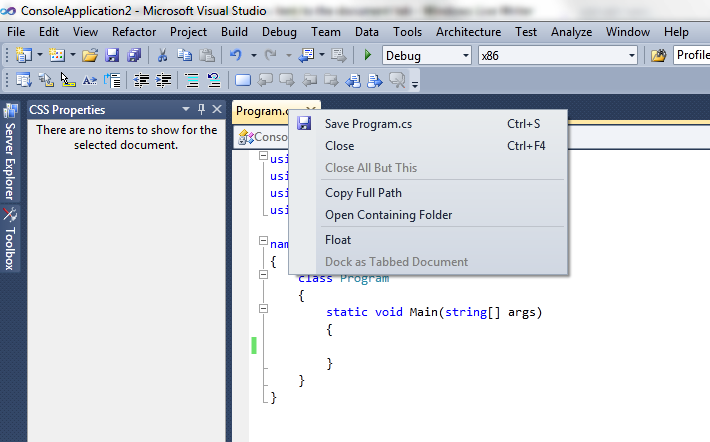
Default:
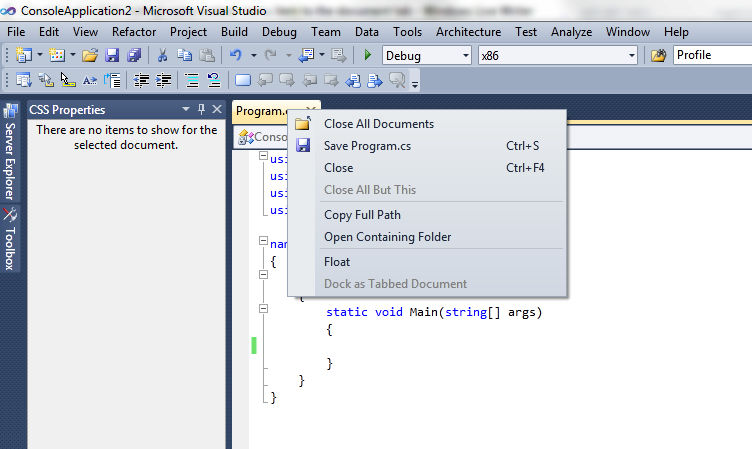
By default when you right click on the MDI document tab you get this context menu which will look familiar to most people from previous versions of Visual Studio.
Solution:
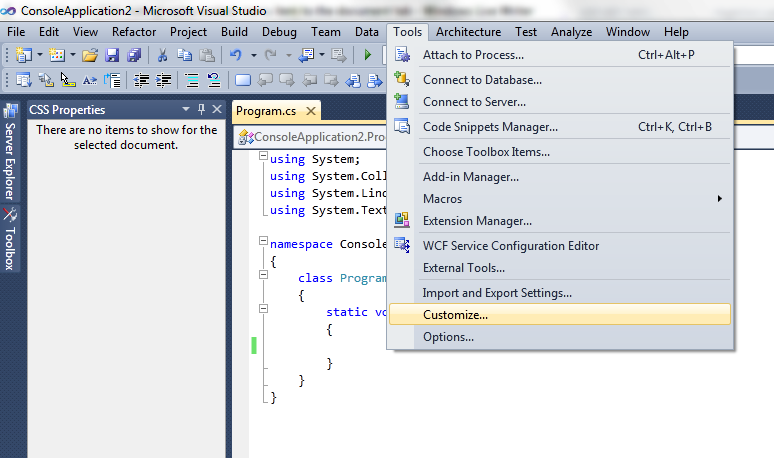
Use the menu and to go Tools, Customize…
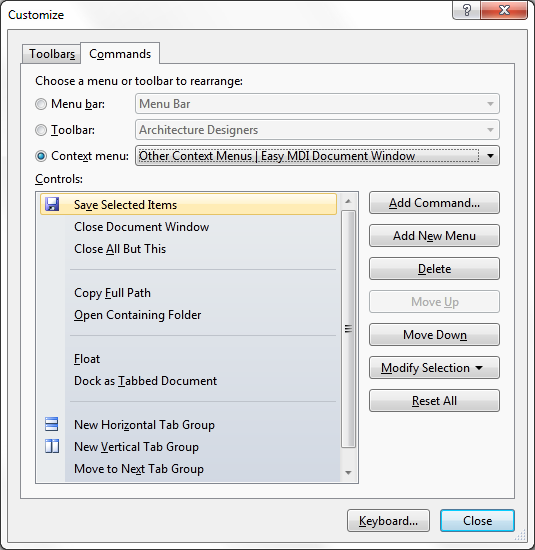
| Then from the new window select the second tab Commands. Check the radiobutton context menu and from the combobox choose **Other Context Menus | Easy MDI Document Window**: |
Click the Add Command… button and from the new window choose on the left Window and on the right Close all documents.
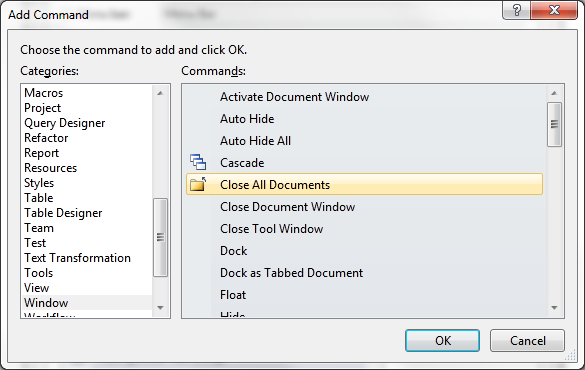
Click on the OK and then on the Close button and you’re done. Nice and easy.
Result:
Your newly added context menu item for the MDI tab in all its glory:
Grz, Kris.
Leave a Comment