

Maximum number of characters displayed in each column
I was unaware of this at first, which gave me some frowns on my face when I found out the hard way, but results in SQL Server Management studio are truncated to a certain amount of characters. Normally you won’t notice this but when a certain line exceeds that amount you’ll notice the truncated text. I experienced it while concatenating several columns casted as varchars.
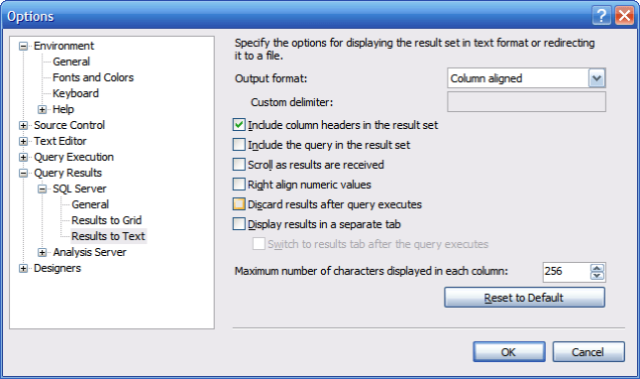
| By default the maximum amount of characters is 256 but you can easily edit this setting by going to Tools | Options. There you set a higher number of maximum displayed characters in the right lower corner of the screen when you navigate to Query results | SQL Server | Results to Text (/images/or to Grid): |
Grz, Kris.Recenet

Leave a Comment